
David Energy
Redesigned both residential and commercial energy management platforms for a next-generation power company, from smart EV charging to facility manager dashboards.
David Energy
Principal Designer
2022-2024
Product Design · Mobile App
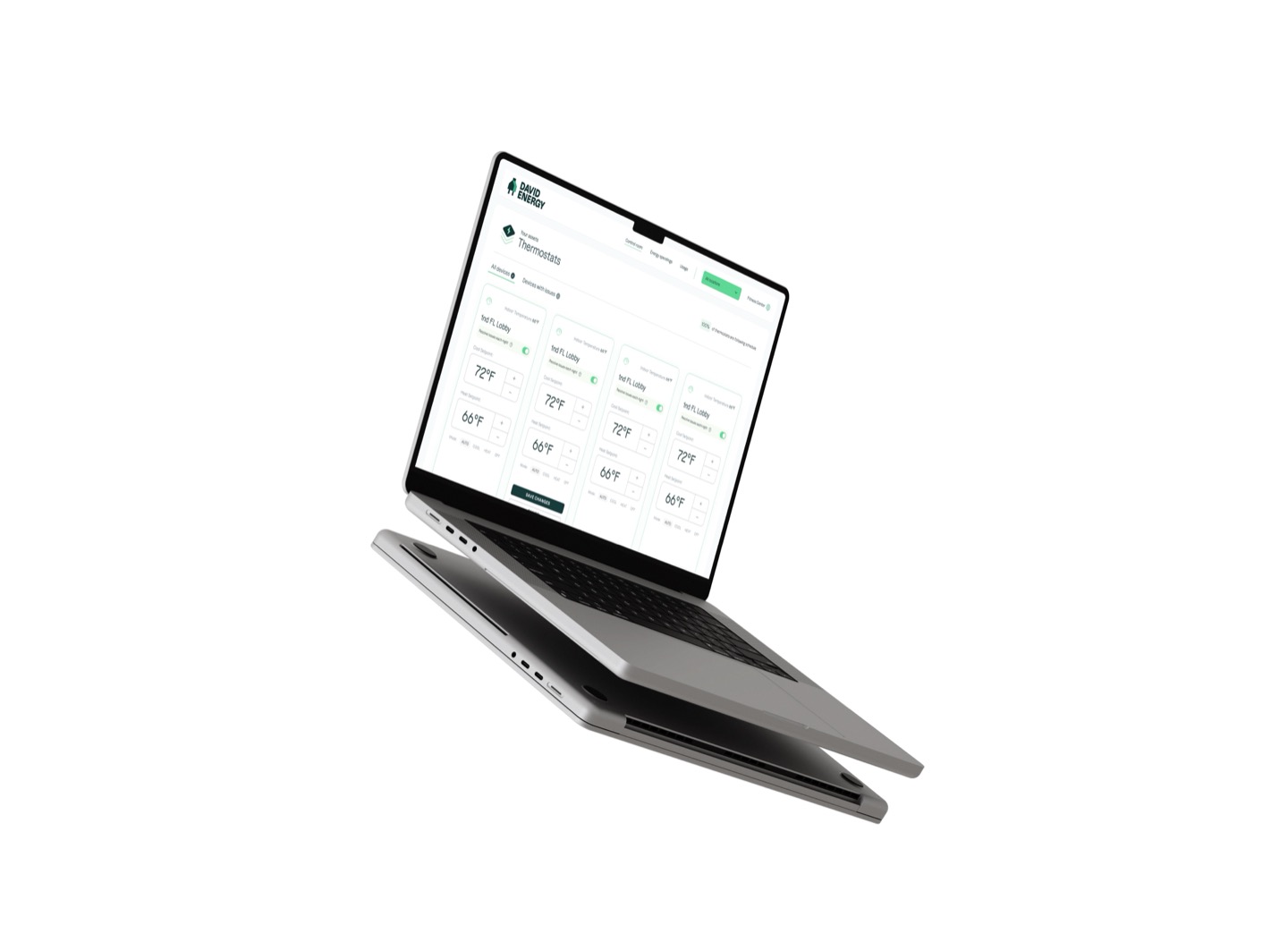
David Energy is rethinking how electricity is consumed, managed, and distributed. They operate two product lines: residential (smart home energy management, EV charging) and small commercial (facility energy optimization), sharing one engineering team. Both products needed significant design attention, and the experiences had diverged to the point where they didn’t feel like the same company.
We redesigned both residential and commercial platforms to unify David Energy’s product experience — from smart EV charging to facility manager dashboards.
Two product lines, one engineering team
As Principal Designer, I led the redesign across both product lines. For residential: the mobile app experience, including smart EV charging. For commercial: the facility management platform, control room interface, and energy spending dashboards.
Unifying two diverged product lines required more than visual polish — it called for a shared design foundation. I established a component system, interaction patterns, and a unified visual language that served both residential and commercial surfaces. For a deeper look at that work, see the Volt Design System.
Giving facility managers actionable insights
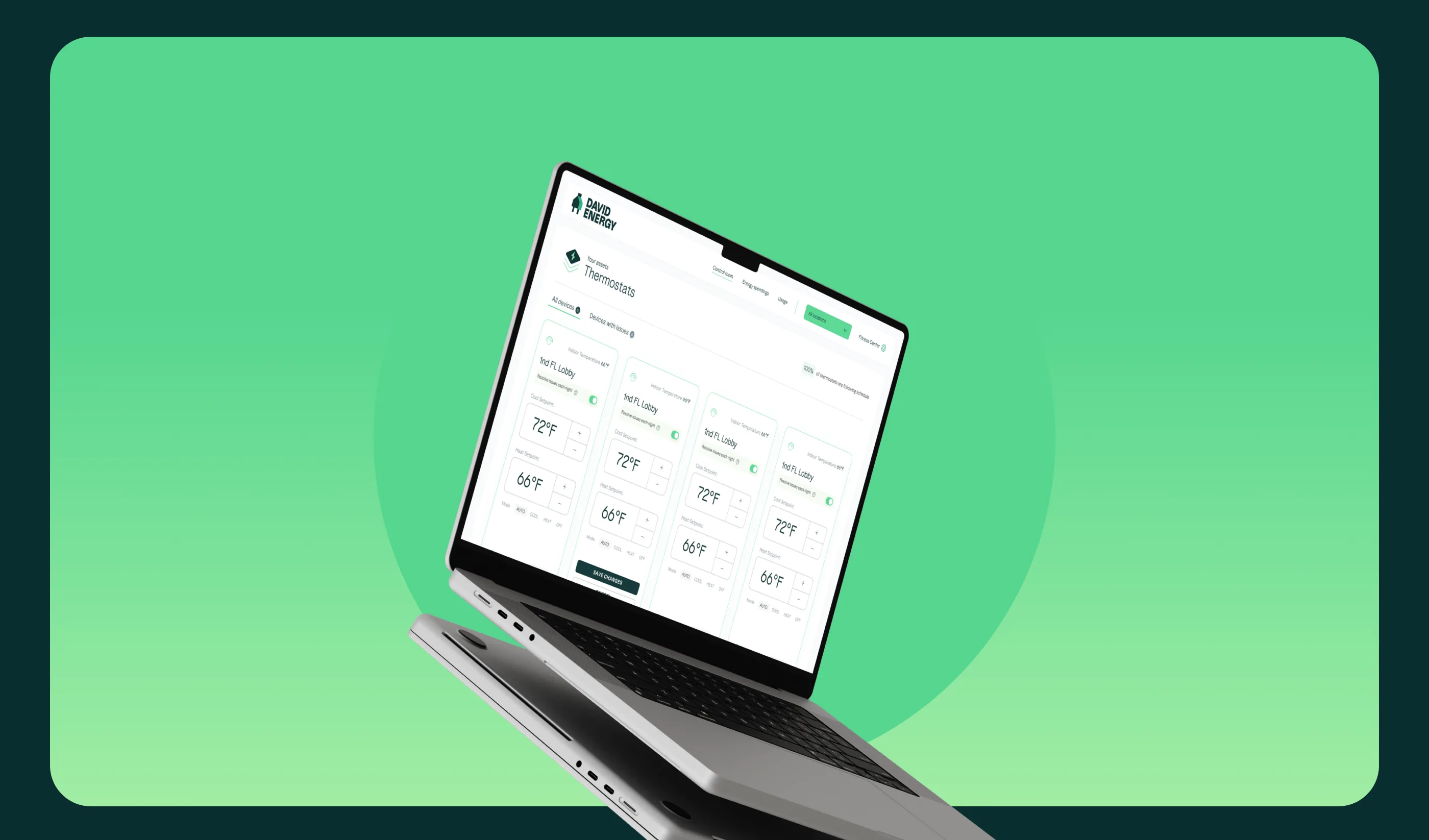
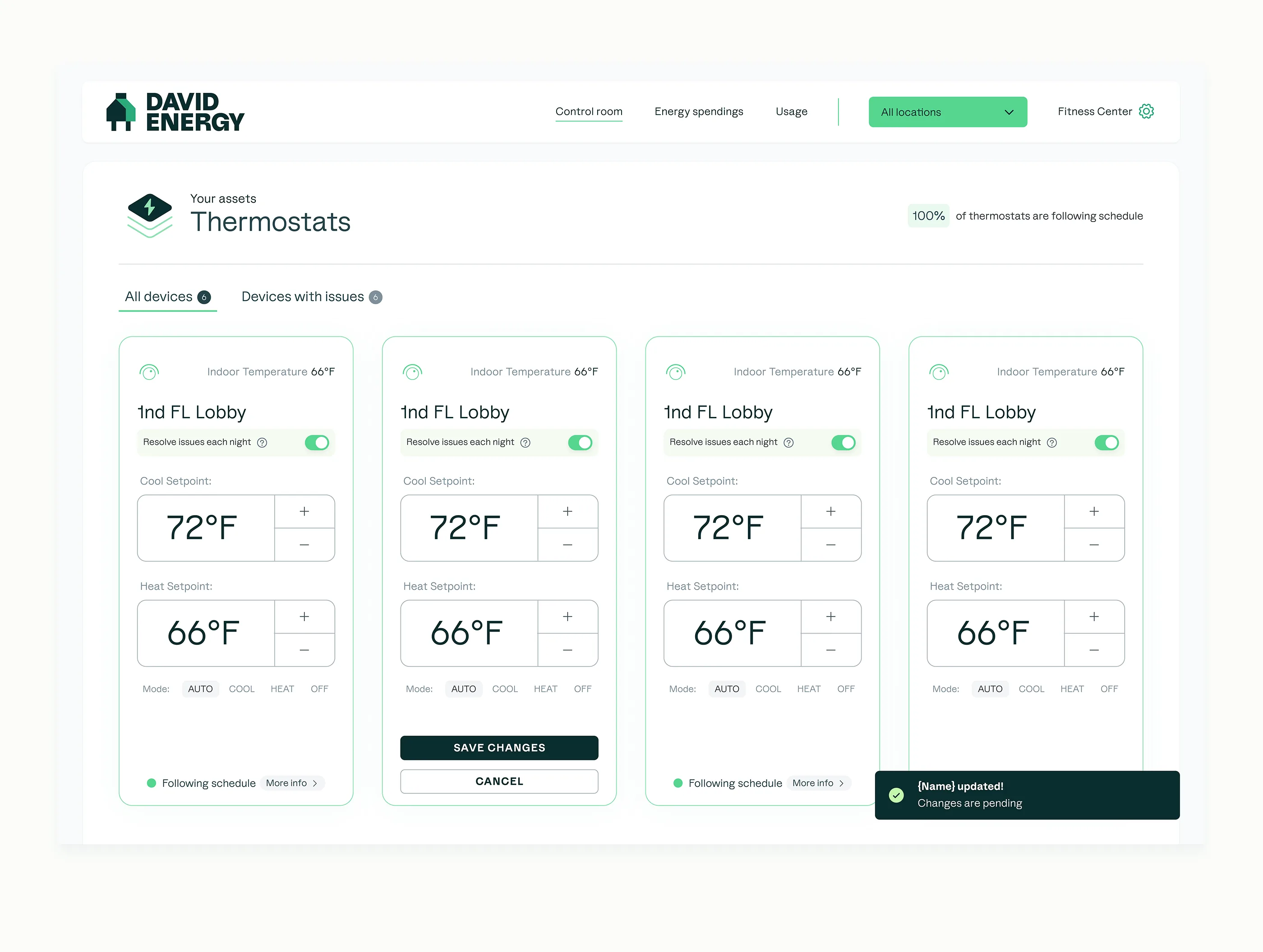
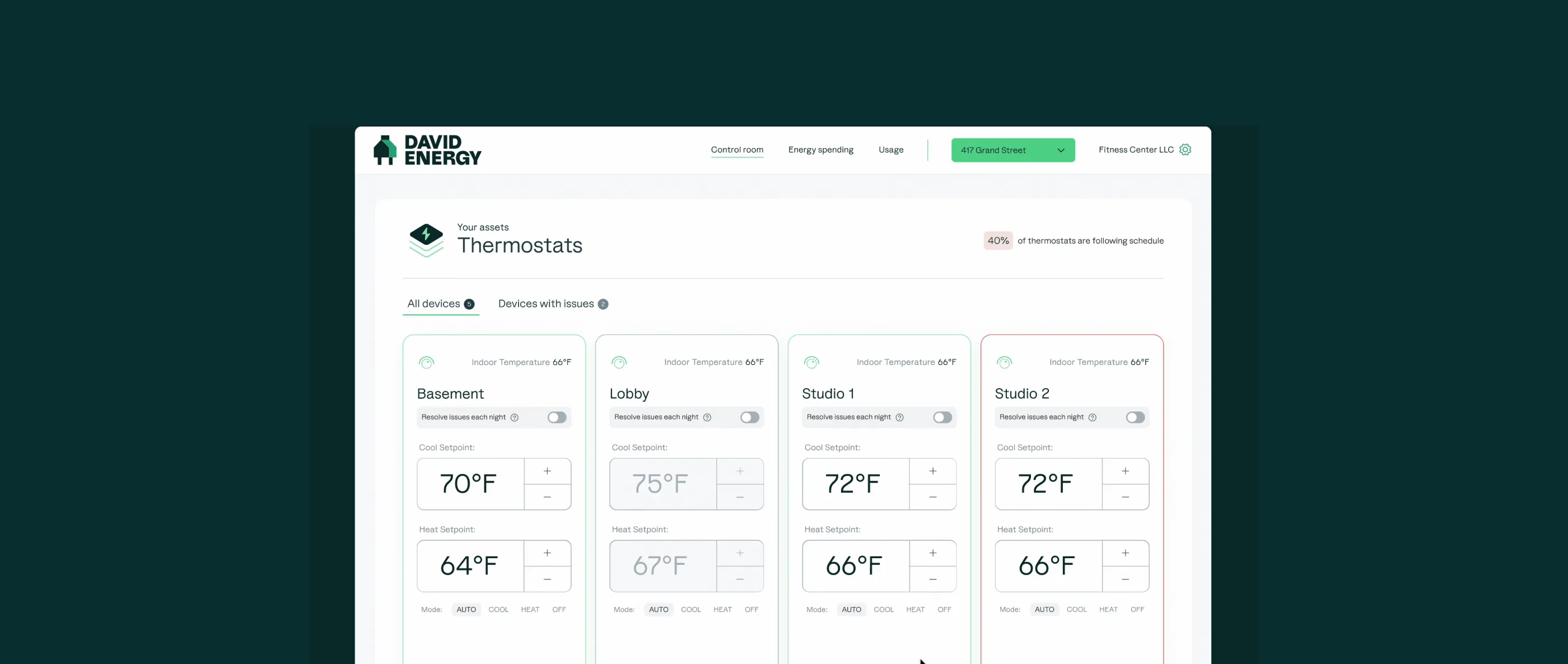
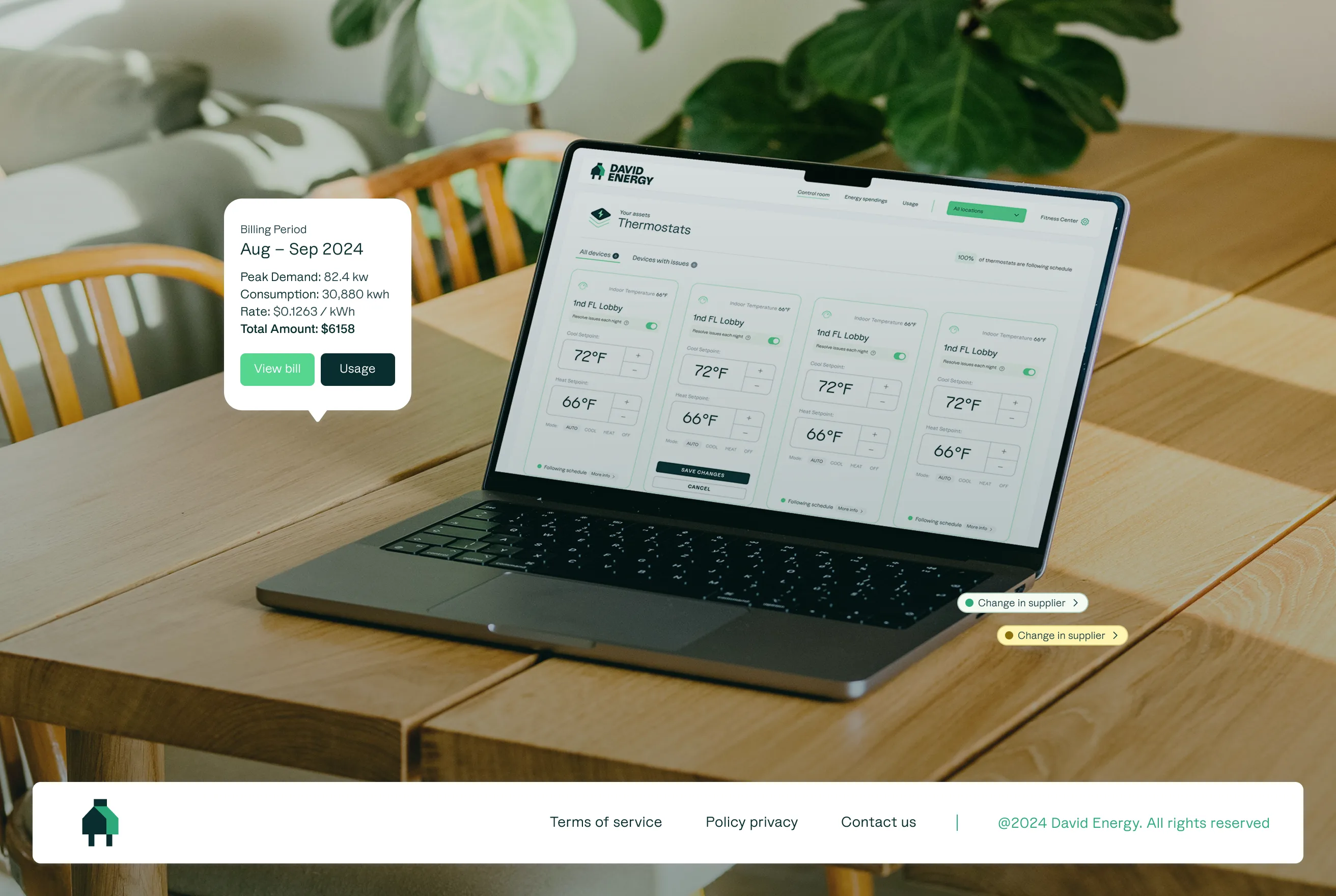
Facility managers needed a clear view of energy usage across all their locations but were getting raw data with no context. We audited every thermostat control flow, mapping backend implications to front-end displays to ensure full coverage of edge cases, success paths, and error states.
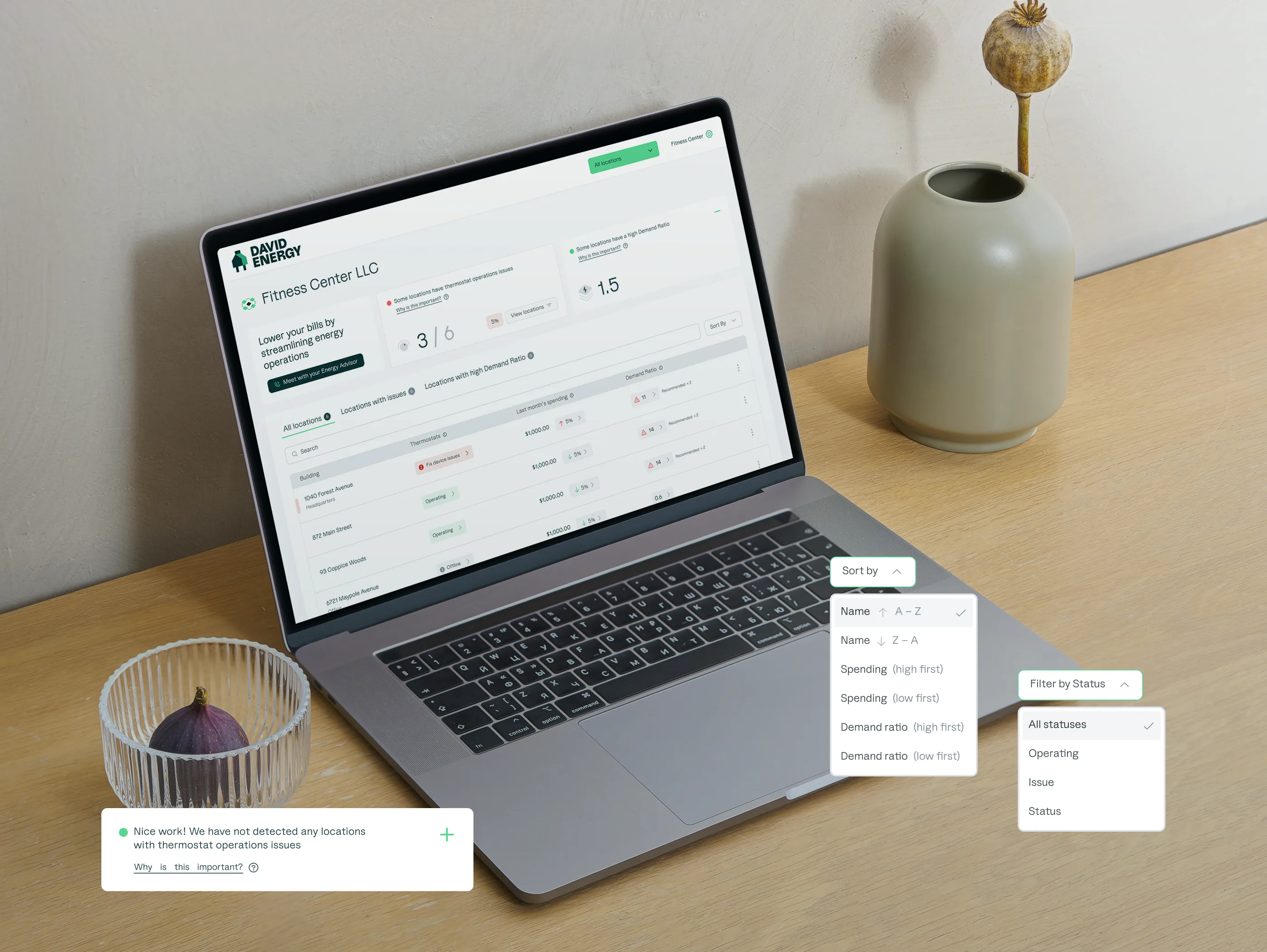
Control Room
Built a comprehensive thermostat management interface where staff could spot issues, override setpoints, and ensure smart grid participation across all locations. Every error state and edge case was mapped — the wireflows were some of the most complex work of the engagement.
Energy Spending & Insights
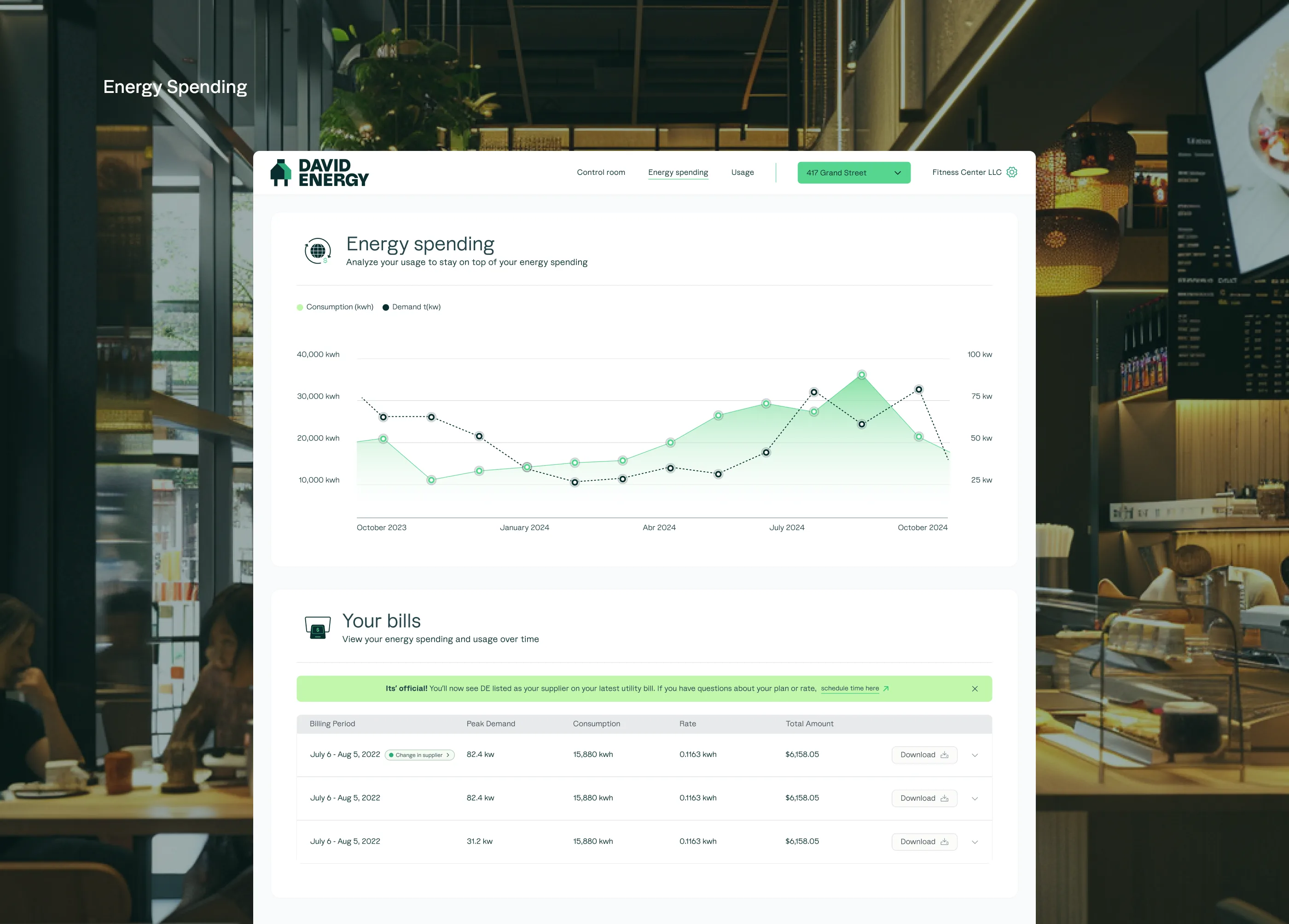
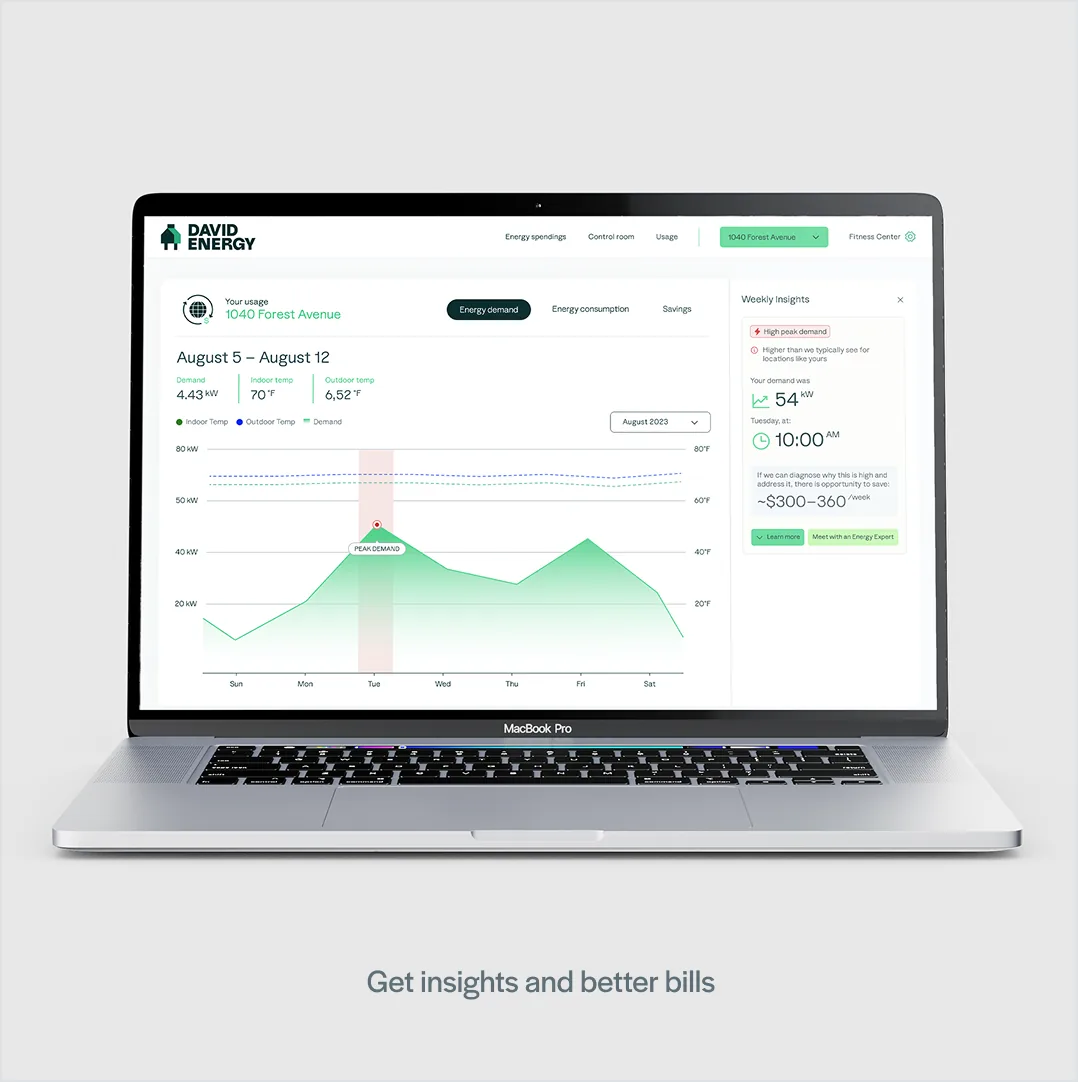
Gave facility managers a clear view of energy demand, consumption, and billing over time. When the system detected anomalies — like a peak demand spike — it surfaced both the problem and the recommended action, with a direct path to meet an energy advisor.
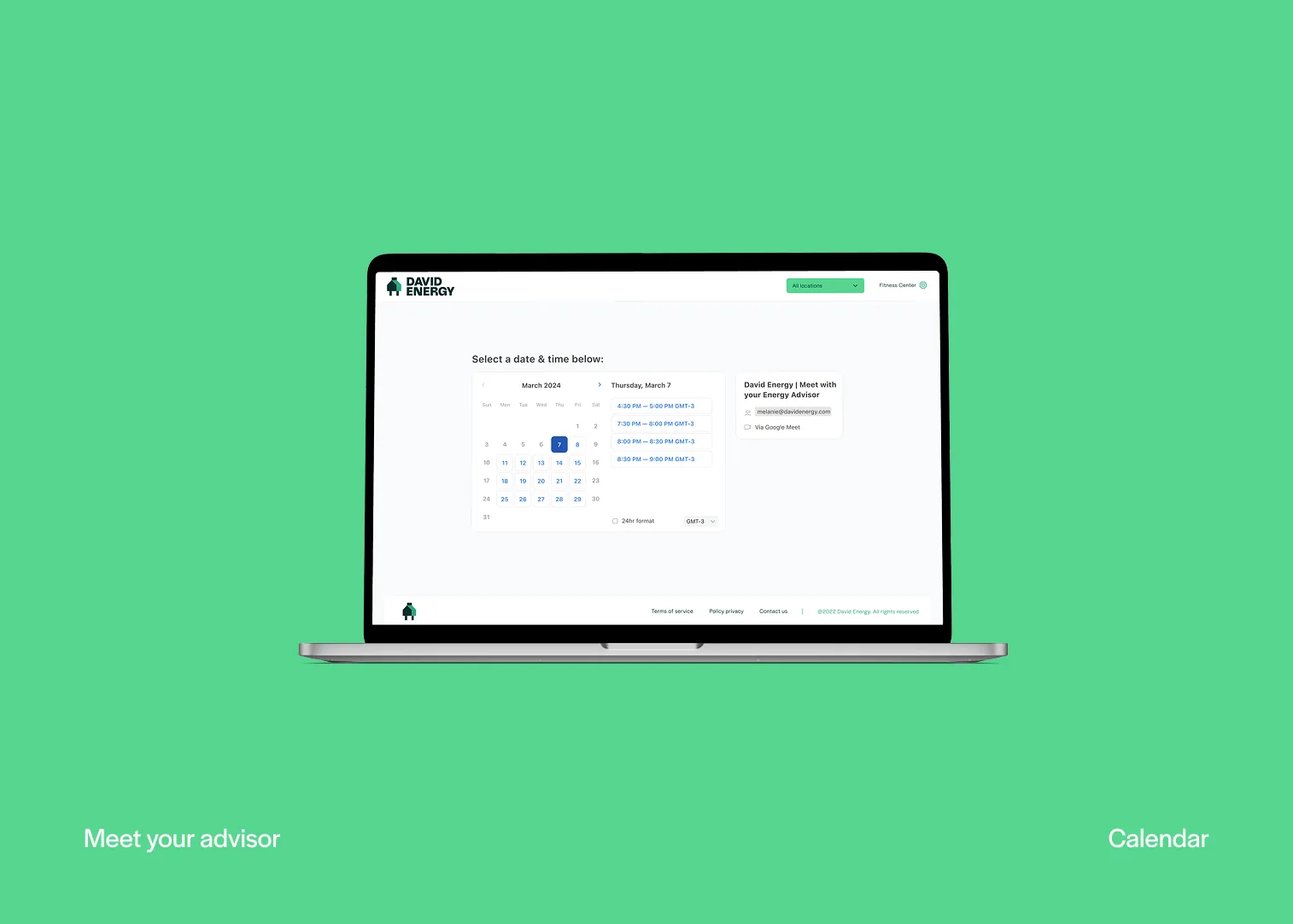
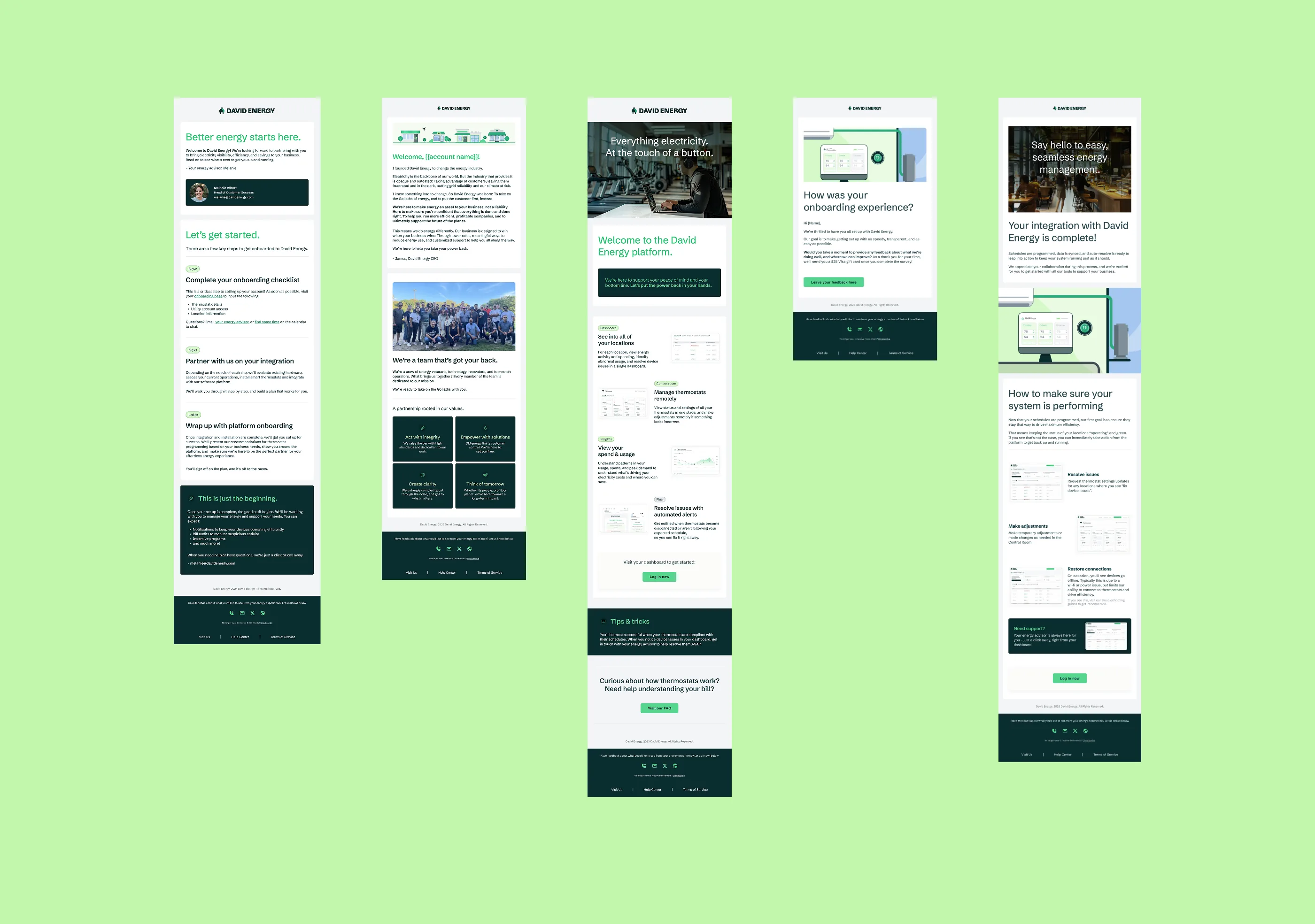
Customer Communications
Designed the full onboarding email sequence to set expectations from day one — from welcome through platform walkthrough, integration confirmation, and ongoing tips.
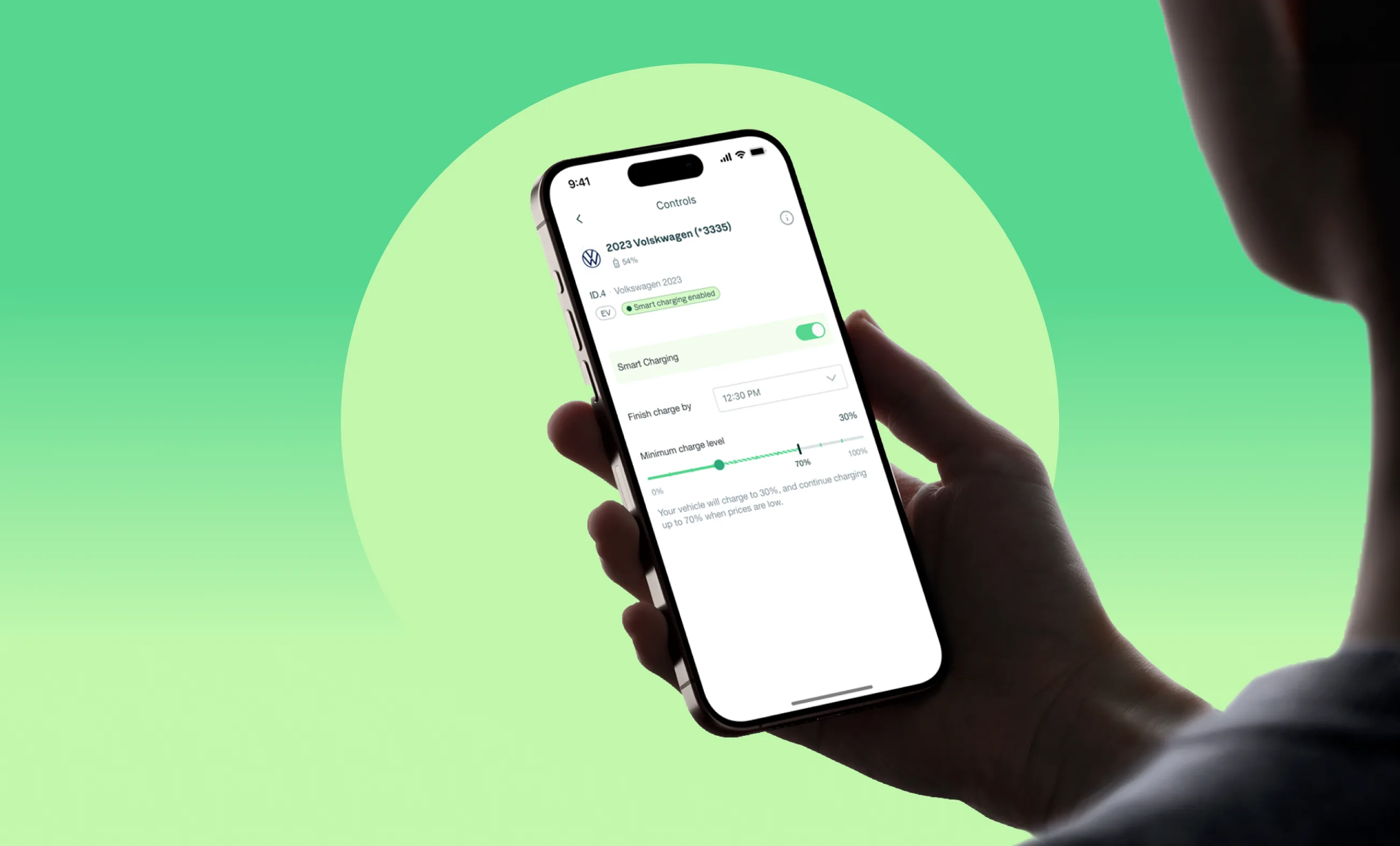
Making smart charging effortless
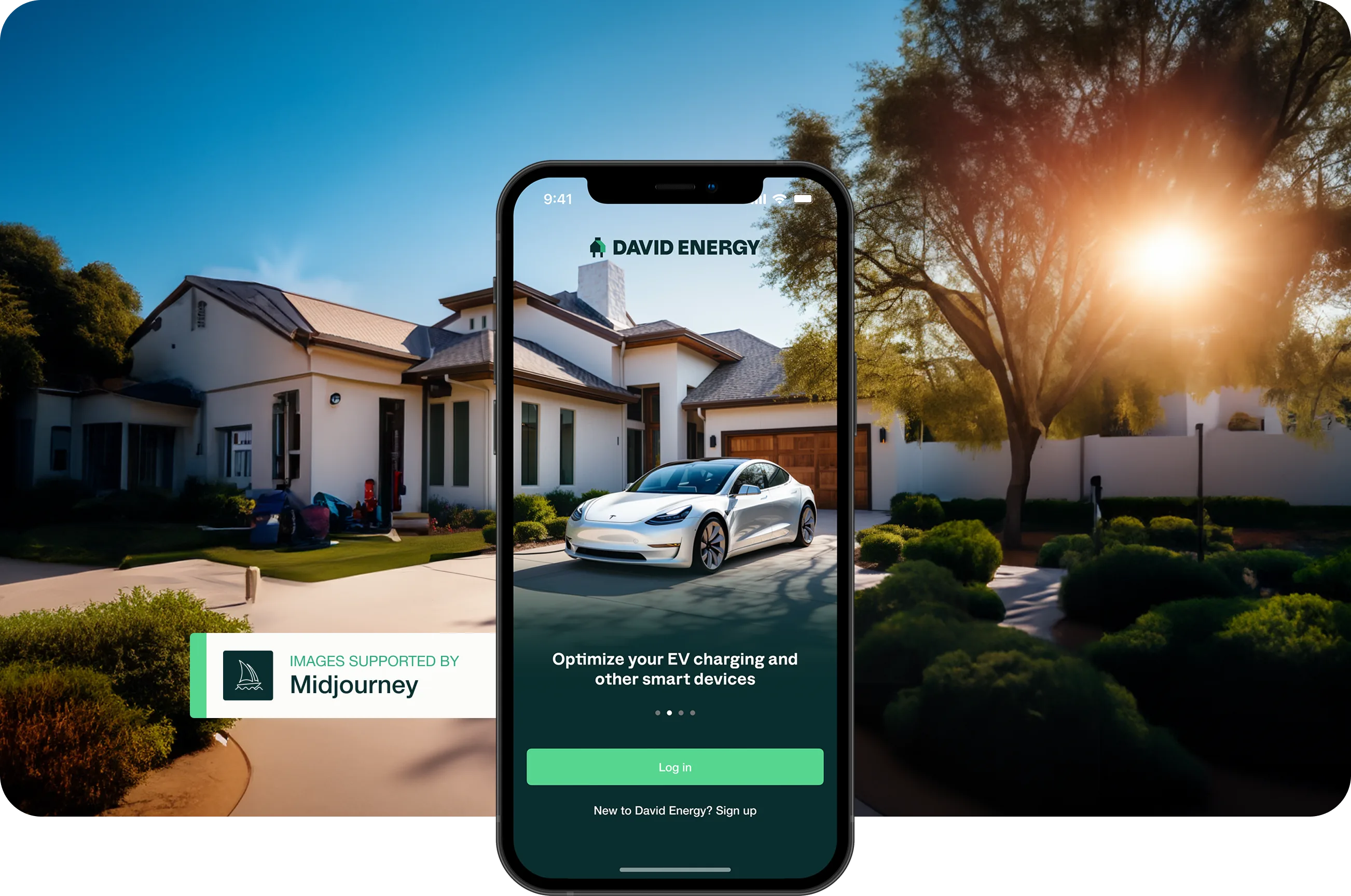
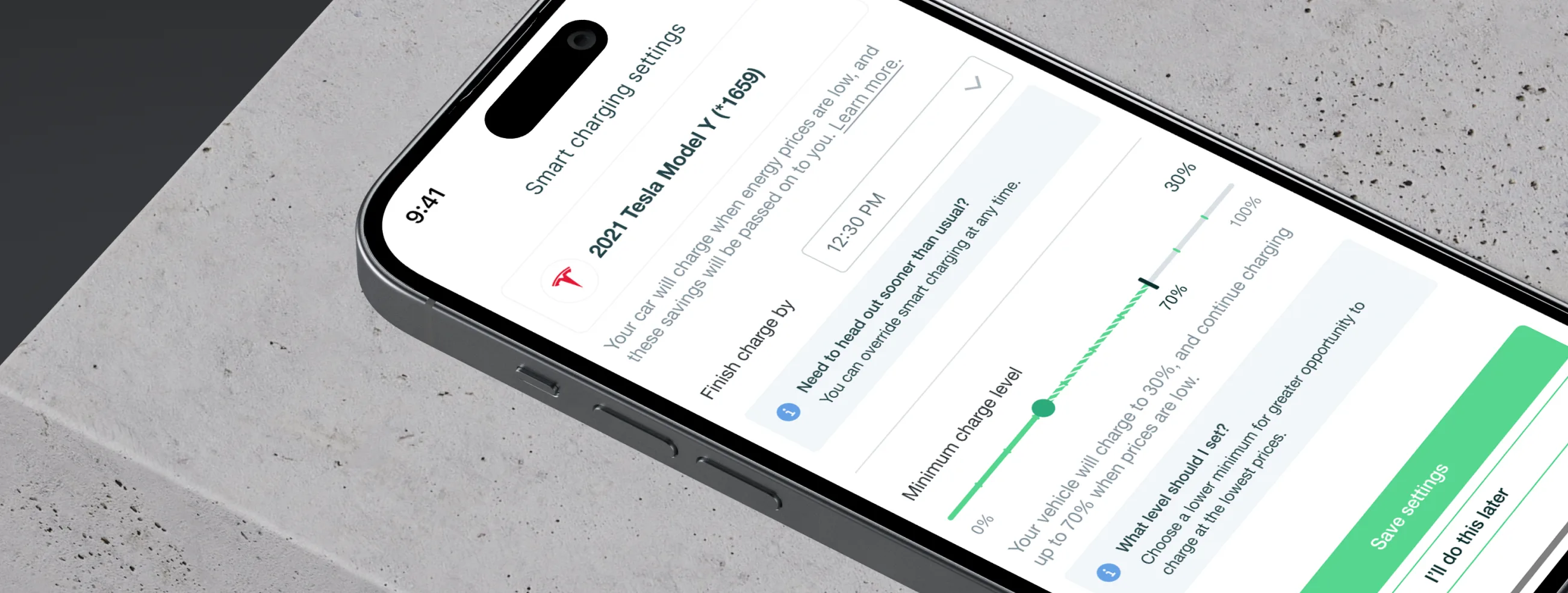
The EV charging experience needed to feel effortless — set it and forget it. Users wanted to pay less to charge without needing to understand energy pricing models. The challenge was making complex grid optimization genuinely invisible.
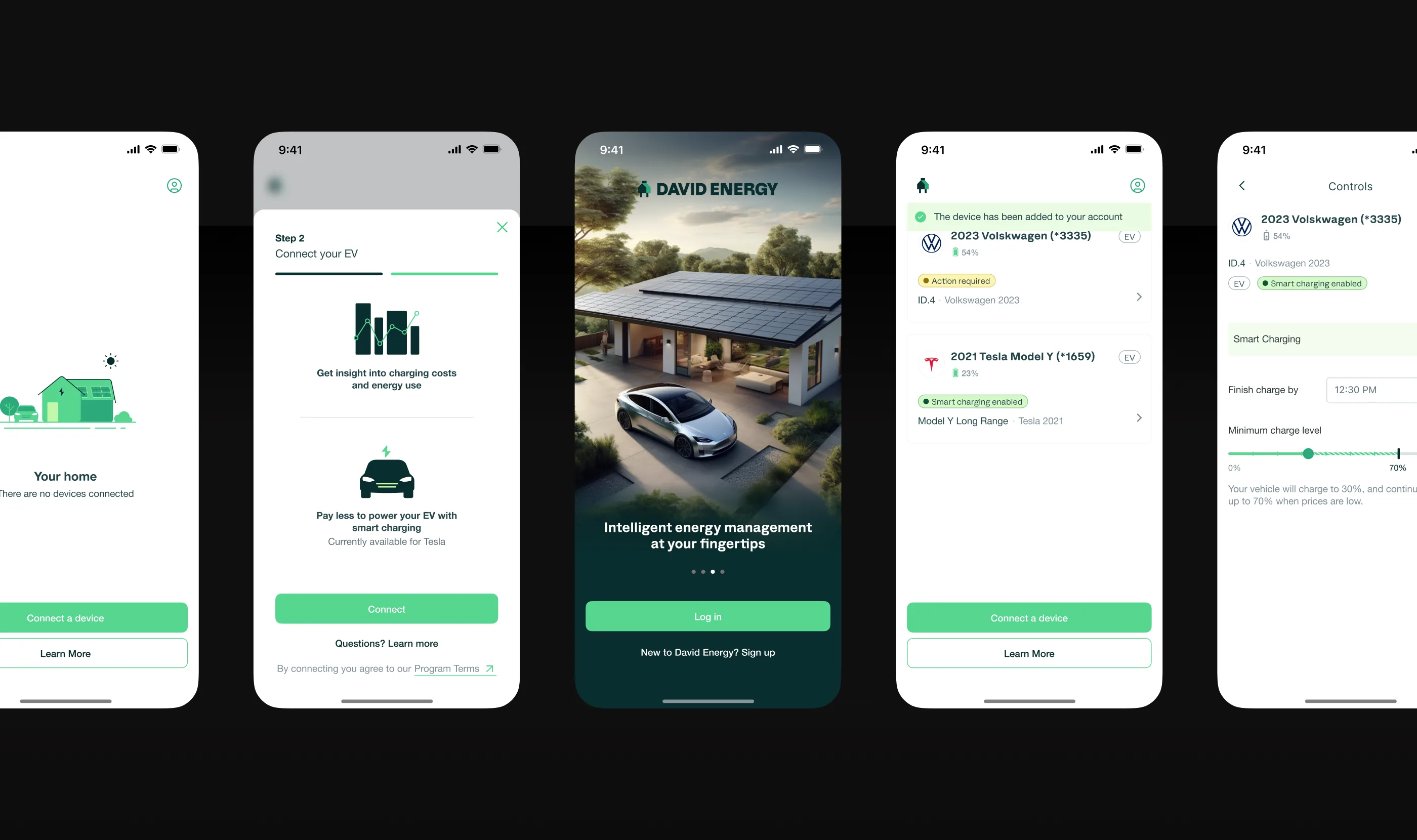
Charging modes — from manual control to fully autonomous
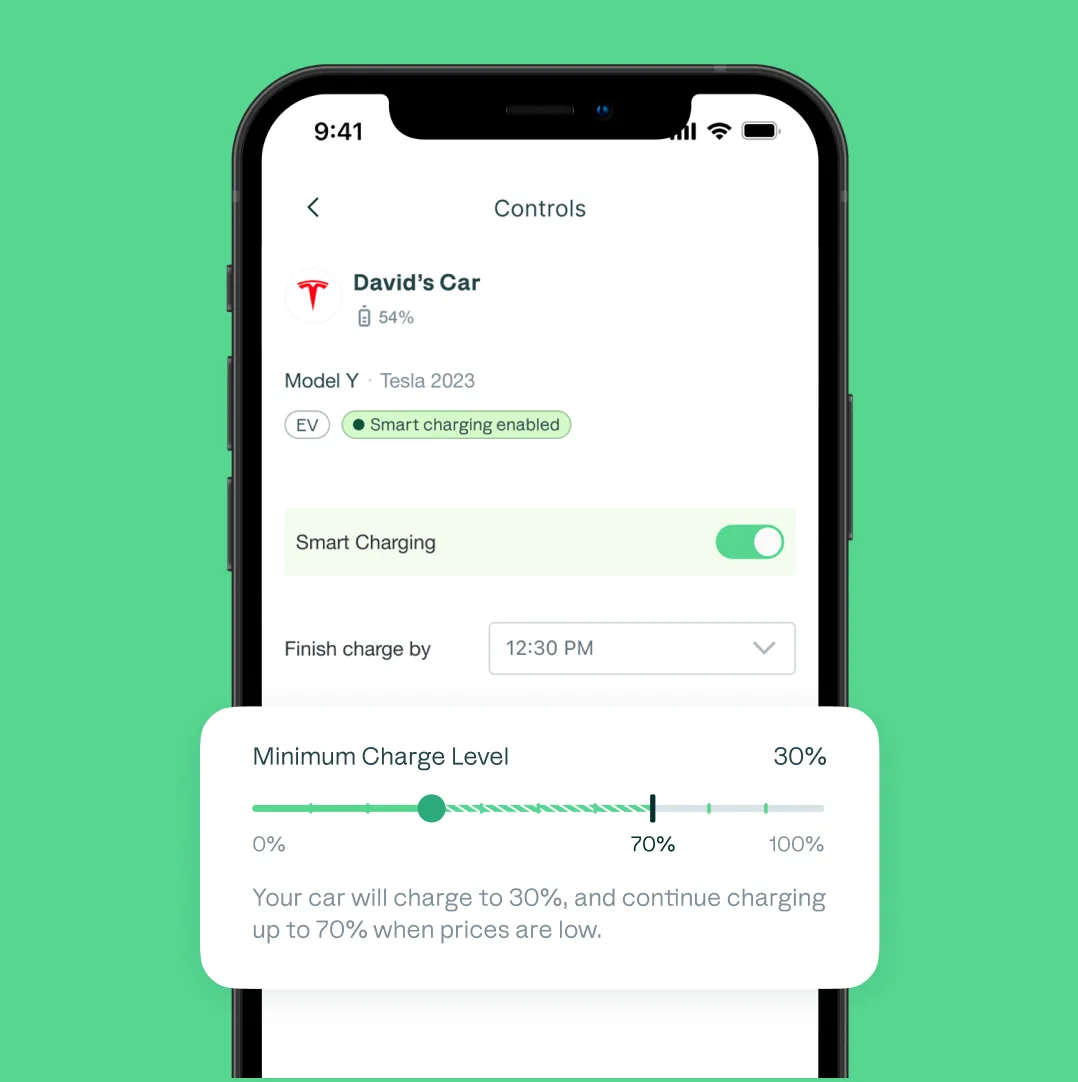
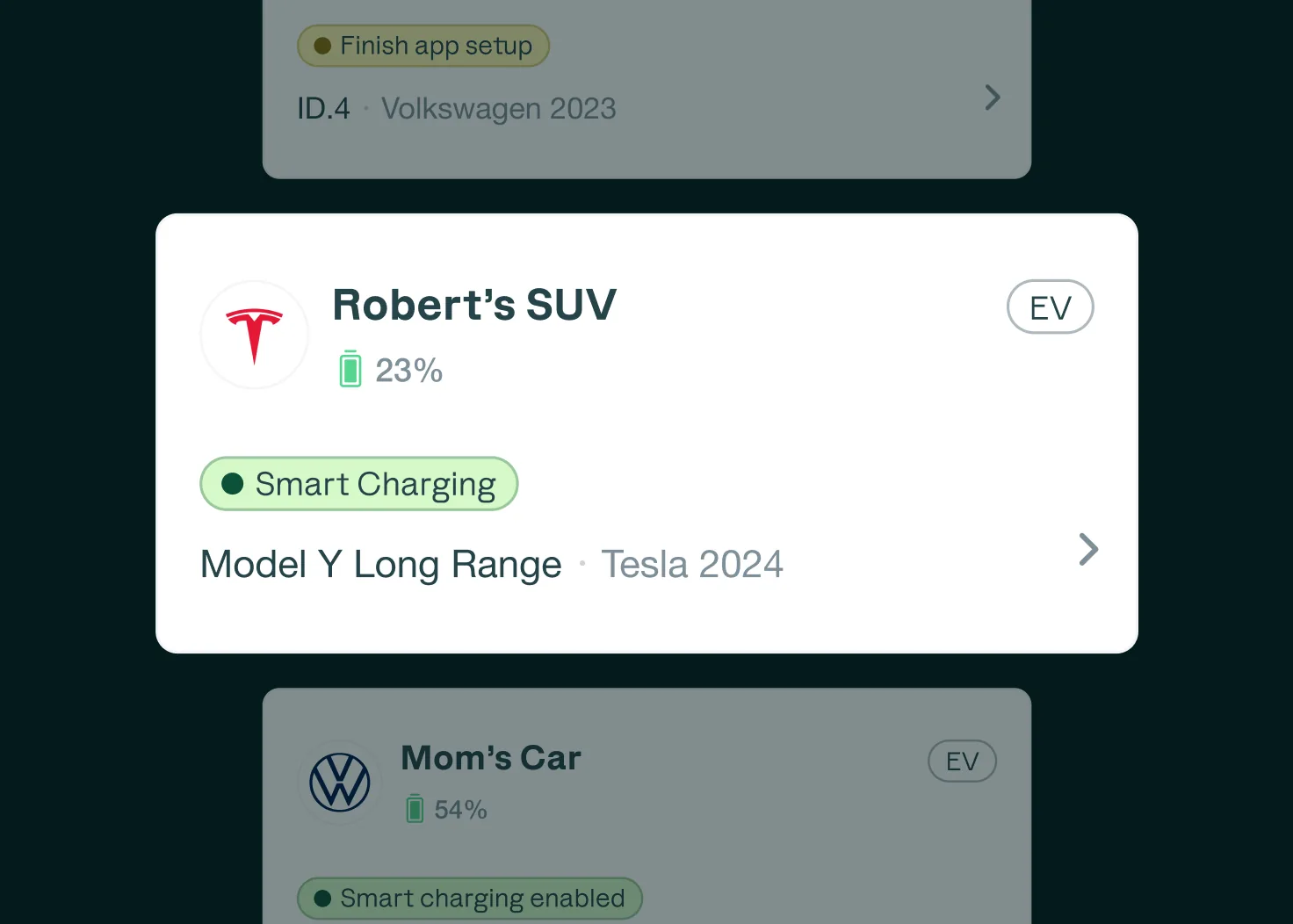
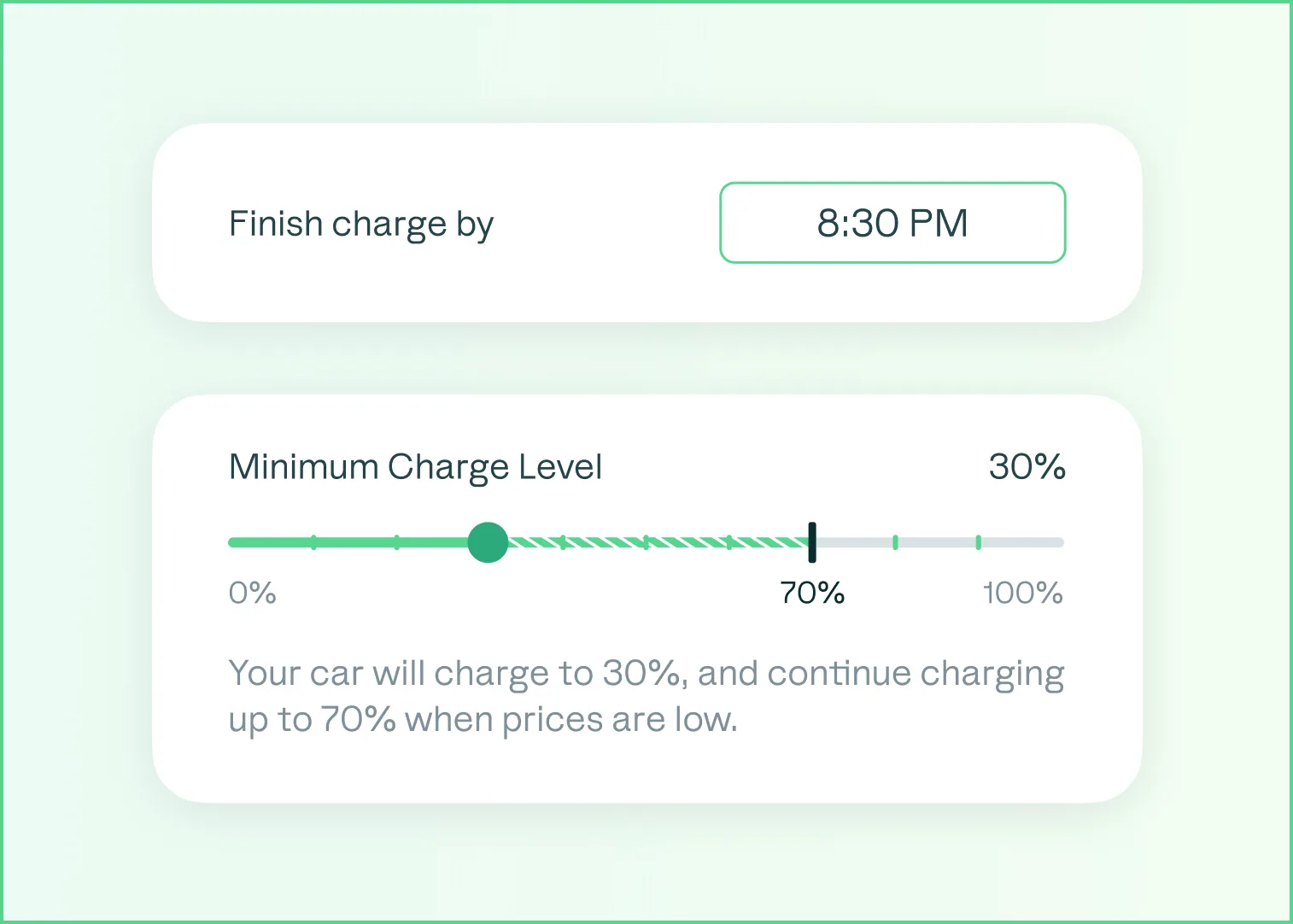
Smart Charging Controls
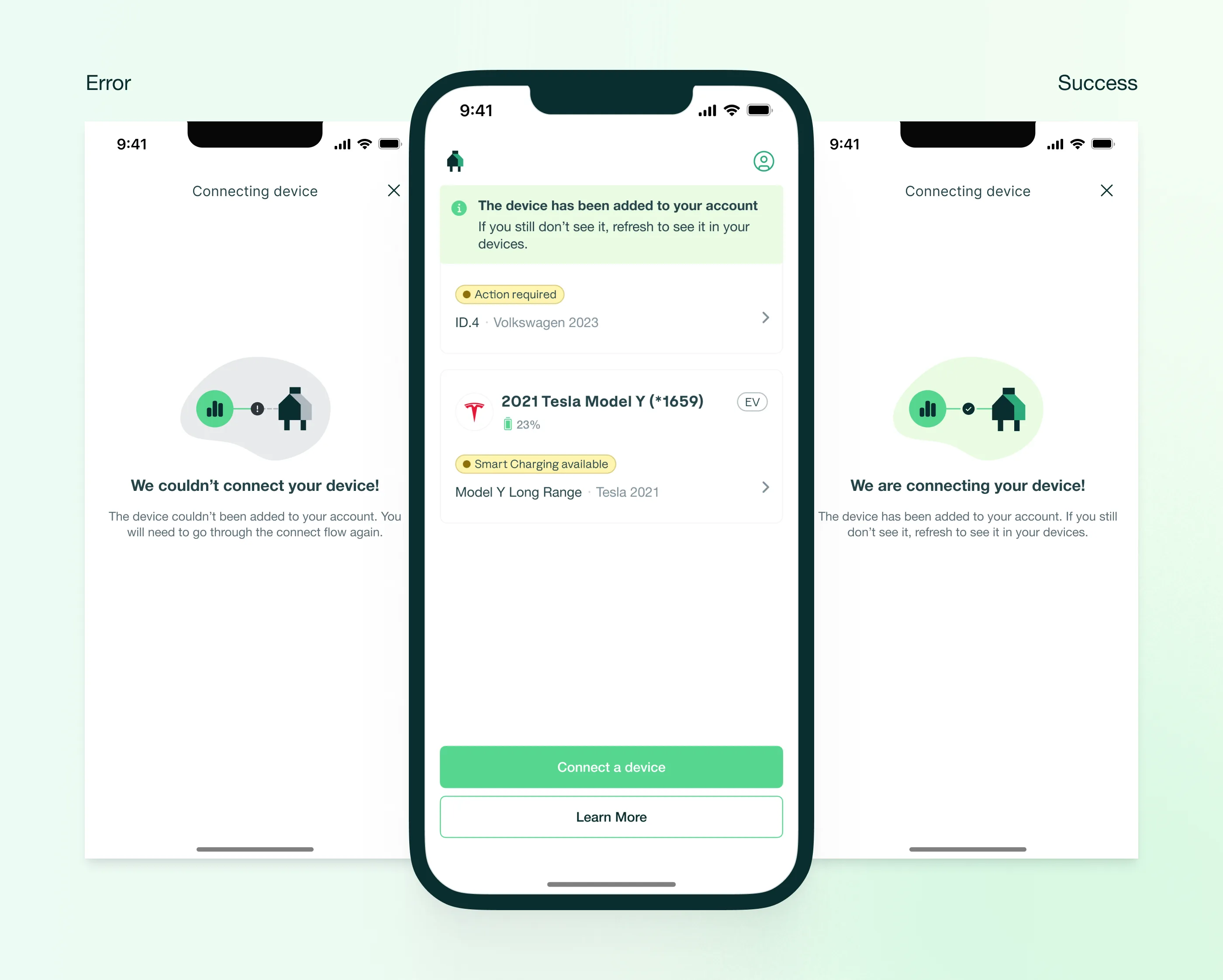
Three modes designed for different levels of user involvement: Seamless Connection (secure EV integration), Charge Optimization (customizable schedule targeting lowest rates), and Autopilot (fully autonomous). Each mode reduced complexity while preserving control for users who wanted it.
Edge Cases & Error States
Every connection state was designed — from failure to pending to success. Getting this right was critical: a failed device connection is one of the highest drop-off points in smart home apps.
Outcome
Unified product experience across residential and commercial products. Facility managers gained actionable energy insights, and the residential app made smart charging effortless.
The redesigned platforms unified David Energy’s product experience. Facility managers could now flag issues, understand costs, and act on recommendations without drilling through raw data. The residential app made smart energy management genuinely hands-off. Both products finally felt like they came from the same company.